
How to orchestrate AI agents: four steps, then the work moves on its own.
Orchestrating AI agents does not have to begin with modeling your whole company. Write one workflow, staff it, decide what is non-negotiable, and run it.
Define, assign, constrain, run.
- 01
Define the workflow
Write down the stages the work already goes through, in order, and what has to be true at the end of each one. Start with the process you actually follow rather than the one you wish you followed; you can tighten it once it runs.
- Stages, in the order the work moves
- The gate each stage must satisfy to be left
- Where the workflow ends, and what it delivers
- 02
Assign people and agents
Fill each role with a human or an agent. A role is a position, so the same workflow runs whether an engineer or a coding agent holds it, and either can be swapped without a rewrite.
- A role per position, not per person
- Any agent provider, chosen per role
- Humans hold roles on exactly the same terms
- 03
Set permissions and gates
Grant each role only the tools its stages need, and mark which gates are not negotiable. A gate marked required cannot be turned off further down by configuration; the attempt is refused rather than ignored.
- Tool and credential grants, scoped to the stage
- Required approvals, tests, and policy checks
- Environments a release may be promoted into
- 04
Let work move automatically
A trigger starts a mission, agents do the reasoning inside their stages, and the gates decide whether the work advances. You see it move, and you are asked only where a human is genuinely required.
- Triggers: issues, schedules, failures, or a request
- Live sessions you can steer or stop mid-flight
- An evidence trail written as it goes
One issue, start to finish.
This is a real shape, not an illustration: a bug is reported, an agent investigates and implements, Orgabot verifies independently, a different agent reviews, a human approves, and only then does anything reach production.
- Issue openedYou
- Triage agentAgent
- Implementation agentAgent
- Tests runDeterministic gate
- Independent reviewAgent
- ApprovalYou
- MergeDeterministic gate
- Promote to productionDeterministic gate
Work happens on its own branch
Each mission runs in an isolated worktree on a branch of its own, so an agent that goes wrong has damaged nothing you were using.
Orgabot runs the tests, not the agent
The verification command is executed by the orchestrator and judged on the exit code it observed. A summary claiming the tests passed is not evidence that they did.
Changes arrive as a draft pull request
Work lands where you already review work. Promoting a draft to ready is itself a step in the merge path, not an accident.
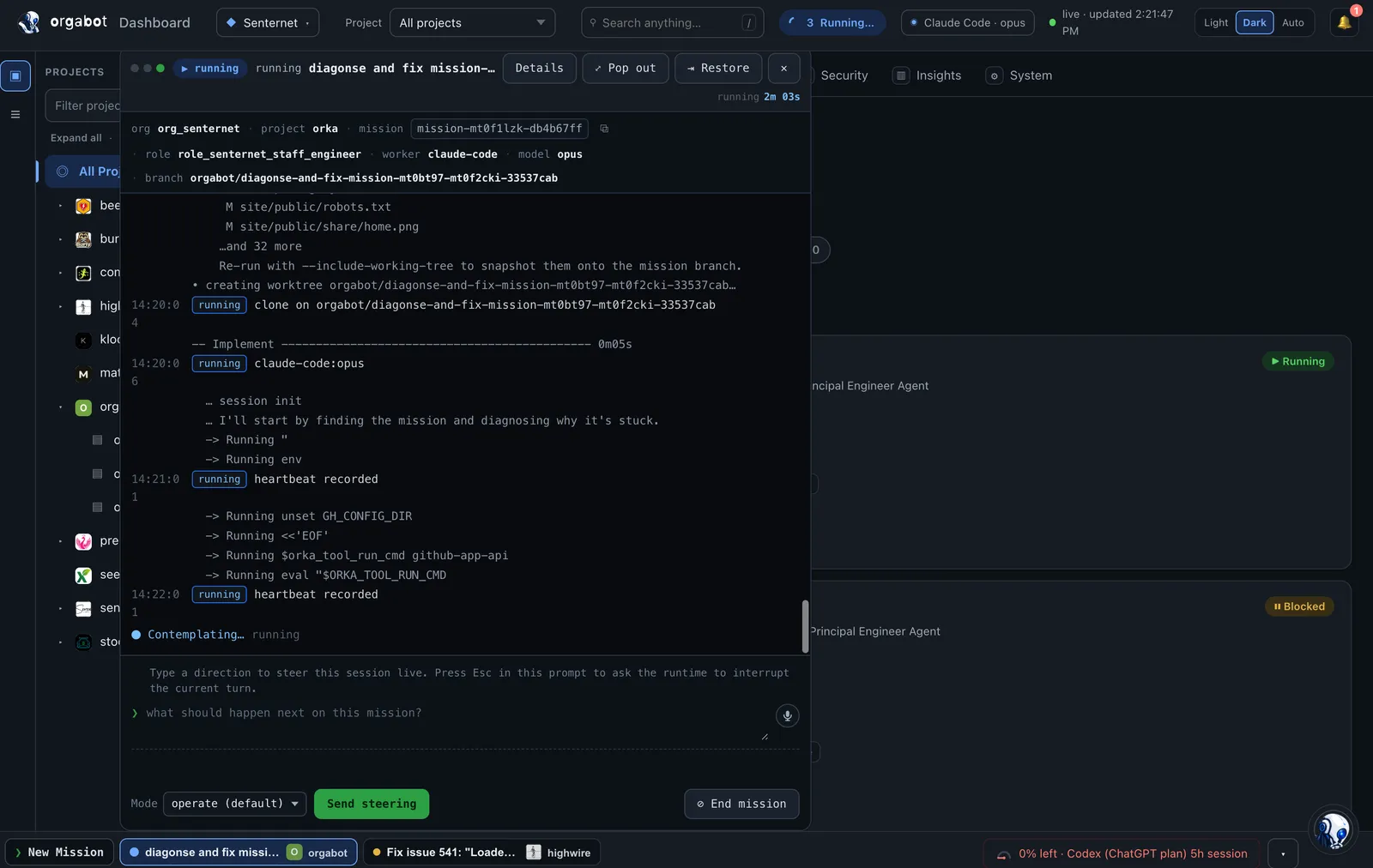
A held mission is the feature.
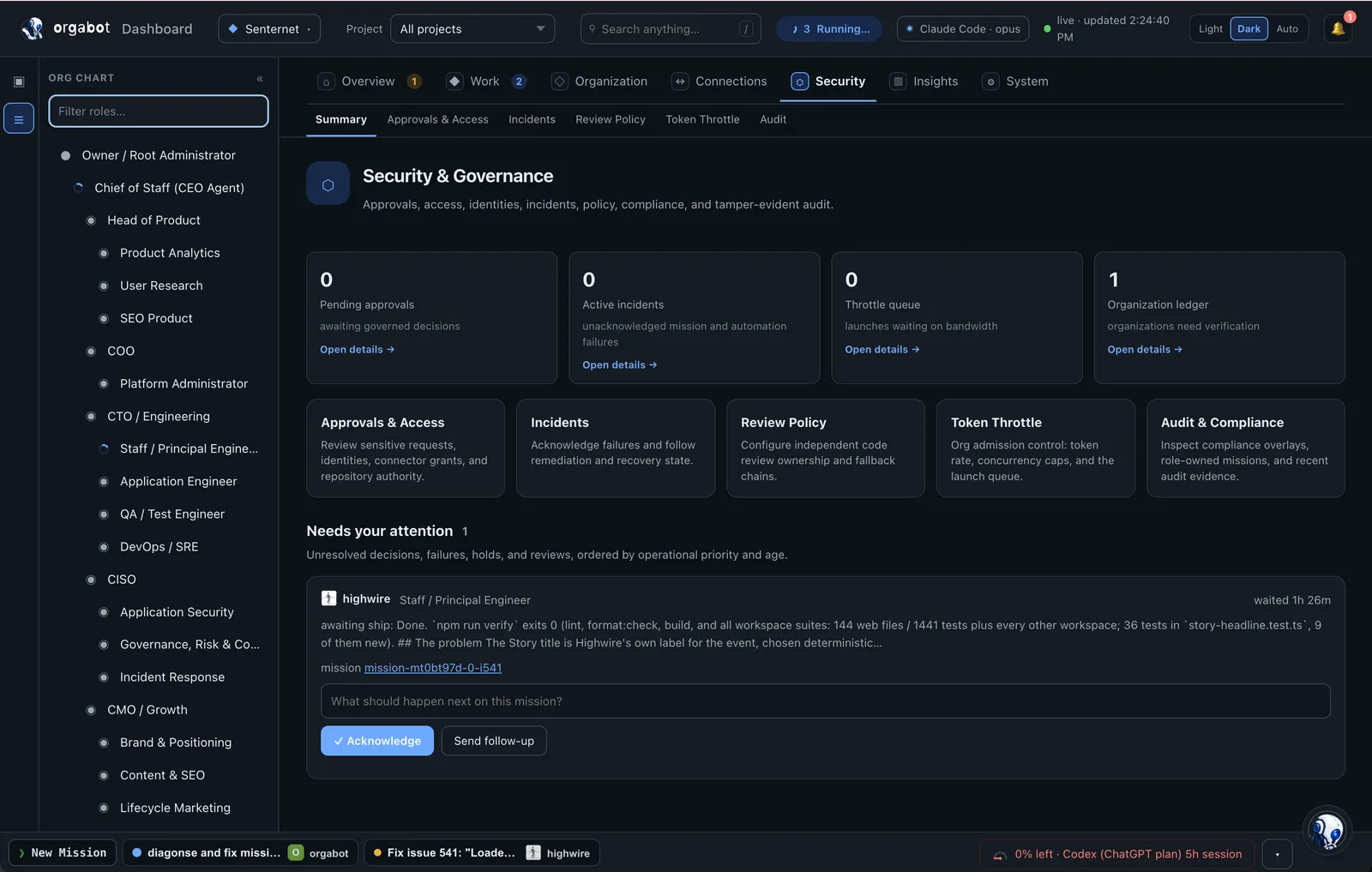
Most automation fails by continuing. Orgabot holds instead: the branch, the worktree, and the evidence stay intact, the reason is recorded, and the work waits for a person. These are the conditions that stop a mission rather than passing it along.
- The tests did not run, so there is no exit code to judge
- The reviewer would have been the agent that wrote the change
- A required approval has not resolved yet
- A promotion targets an environment the workflow does not reach
- The policy file could not be read, so it is treated as blocking
A run that did not satisfy its gates must never read like one that did. An unsatisfied gate is recorded as unsatisfied, with its reason, and it surfaces as a gap in the compliance view rather than disappearing into a green checkmark. That is the difference between a control and a suggestion.
Where this scales up
The four steps above describe one workflow. A real change is usually several of them chained into a task DAG: implement, verify, review, deliver, each with its own role and its own gate.
Build the organization your agents can safely operate inside.
Start with one workflow and one role. The rest of the org chart can wait until the first one is running.